
This quick guide details the process of creating new virtual servers. Before proceeding, it is strongly recommended to gain an understanding of the various virtual server types in Virtualmin — including Top-level servers, Sub-servers, and Aliases — as this knowledge is crucial for effective domain management. How to create a top-level virtual server Log into Virtualmin. Select Create Virtual Server from the main menu. Enter the domain name and other relevant details: Click Create Server. How to create a sub-server Log into Virtualmin. Choose the parent domain from the drop-down box. Click Create Virtual Server, then select Sub-server. Enter the domain name and description for the Sub-server: How to create virtual server alias Log into Virtualmin.
This quick guide details the process of creating new virtual servers.
Before proceeding, it is strongly recommended to gain an understanding of the various virtual server types in Virtualmin — including Top-level servers, Sub-servers, and Aliases — as this knowledge is crucial for effective domain management.
How to create a top-level virtual server#
- Log into Virtualmin.
- Select Create Virtual Server from the main menu.
- Enter the domain name and other relevant details:
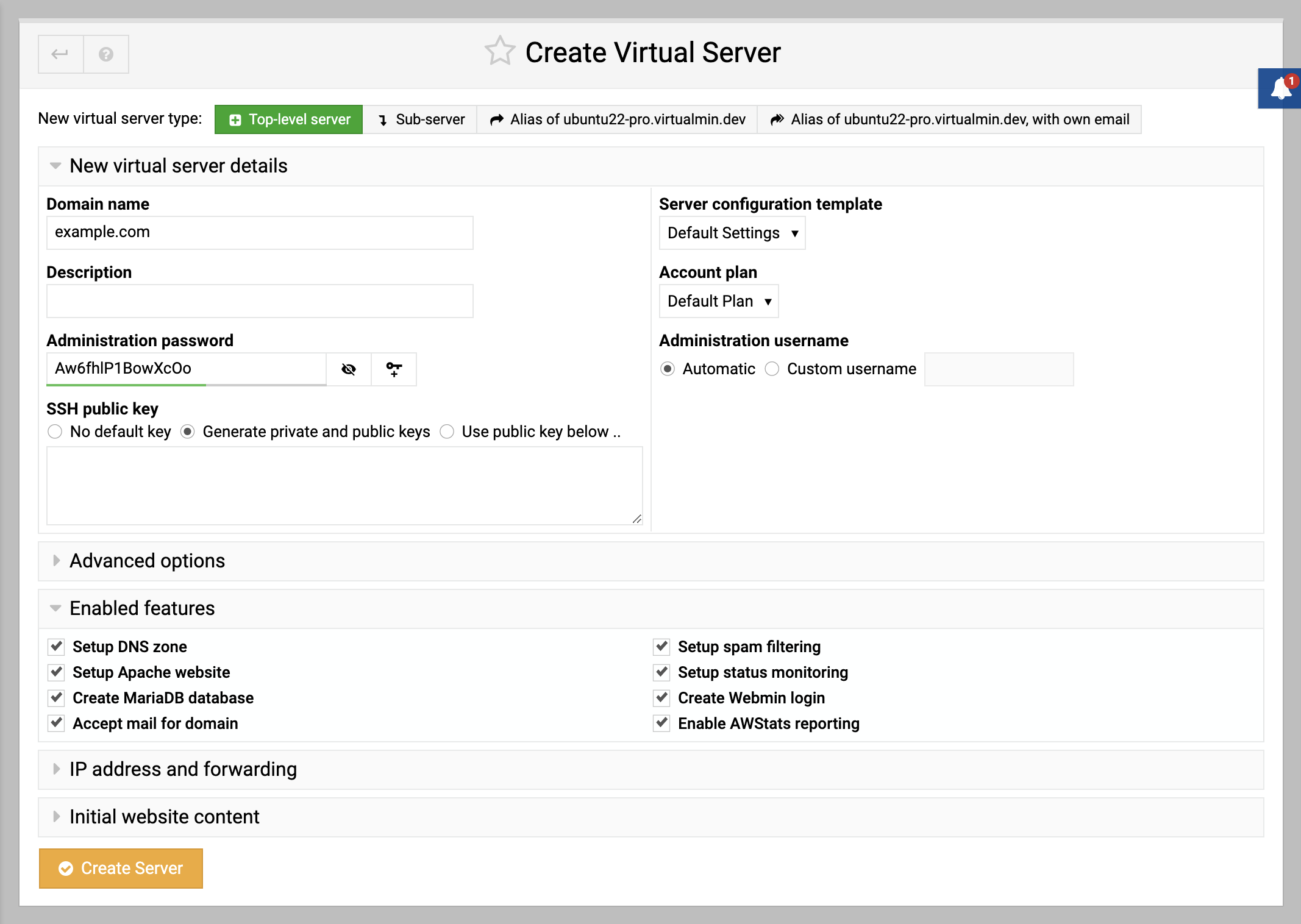
- Click Create Server.
How to create a sub-server#
- Log into Virtualmin.
- Choose the parent domain from the drop-down box.
- Click Create Virtual Server, then select Sub-server.
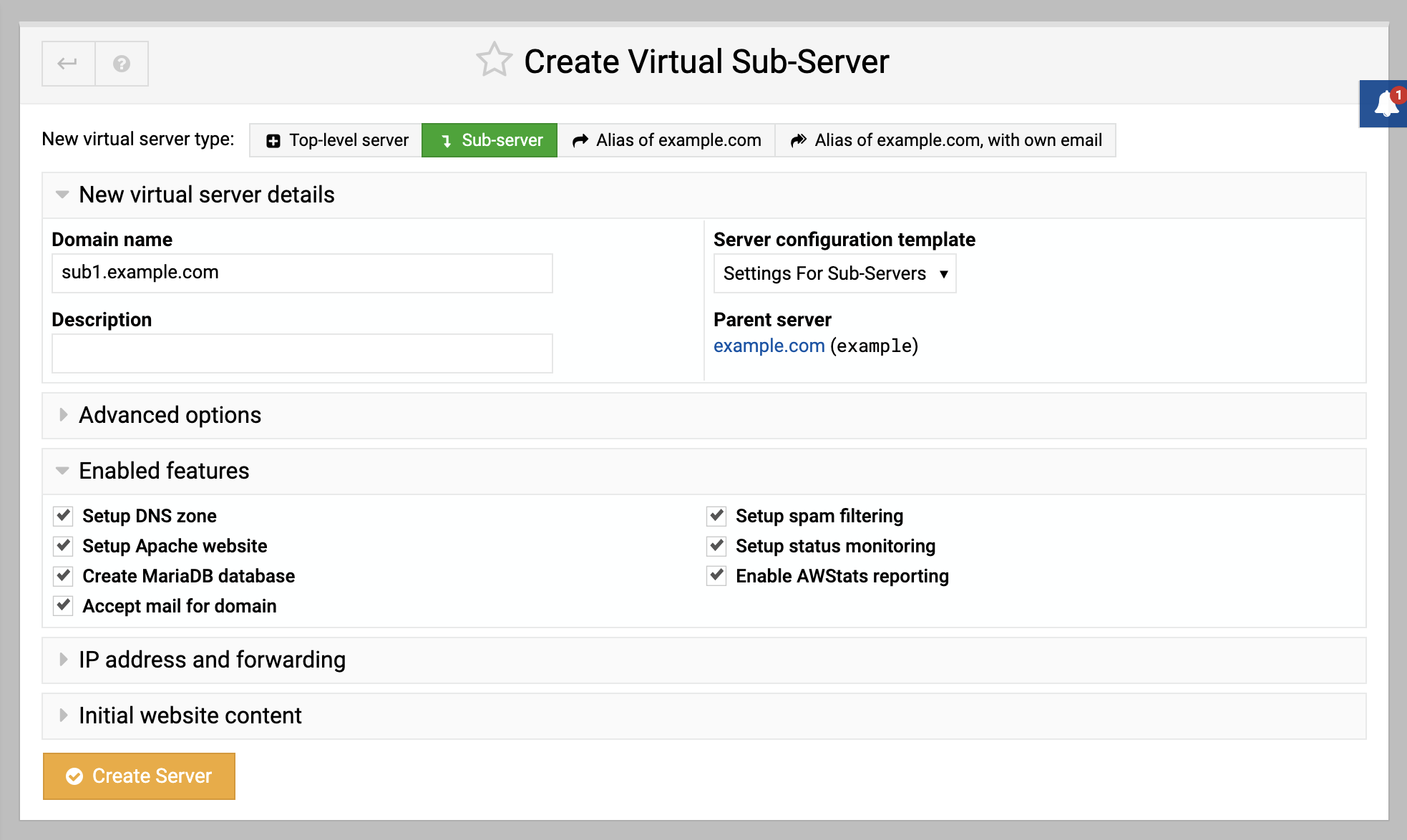
- Enter the domain name and description for the Sub-server:
How to create virtual server alias#
Log into Virtualmin.
Select the domain you wish to create an alias for.
Click Create Virtual Server, then select Alias of example.com.
Enter the domain name and description for the alias:
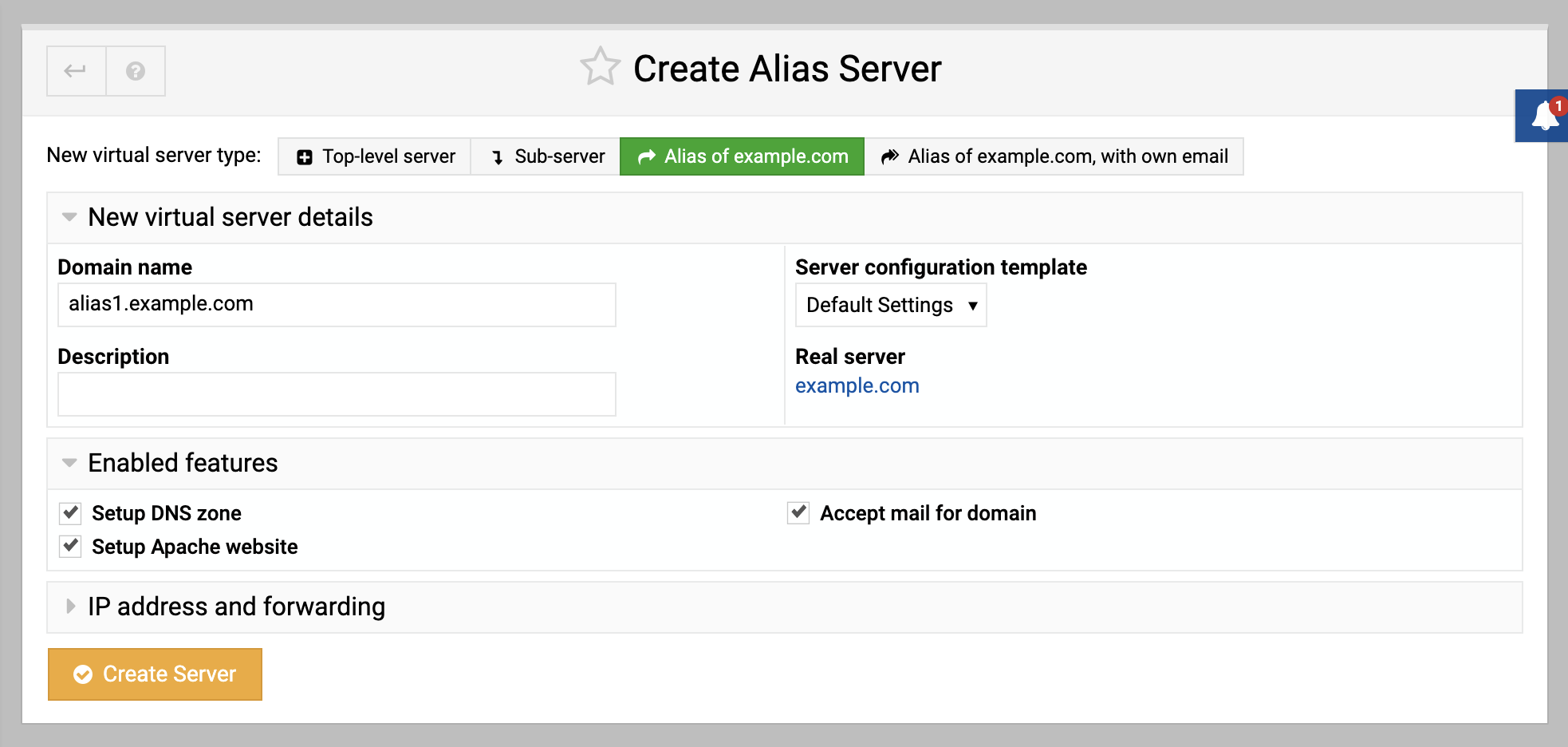
Click Create Server.
Source: https://www.virtualmin.com/docs/getting-started/how-to-create-virtual-servers/
